Transparency
How sign-in works
Here is exactly what happens when you connect your Riot account, step by step.
- 1
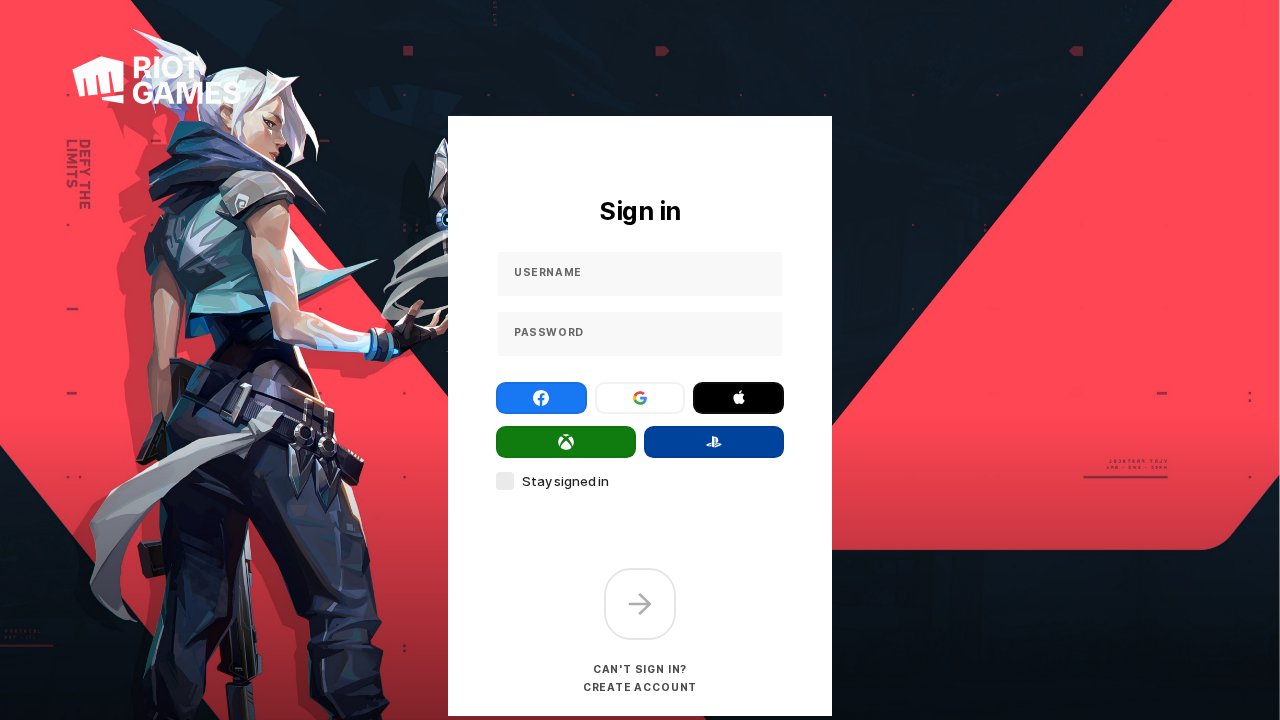
Sign in on Riot's official page
The “Sign in with Riot” button opens auth.riotgames.com — Riot's own website. You type your password there, never on NeonVault.
- 2
Riot sends you to playvalorant.com
After sign-in, Riot redirects you to a playvalorant.com page. It may look blank or show “Page not found” — that's normal. The address contains a temporary access key issued by Riot.
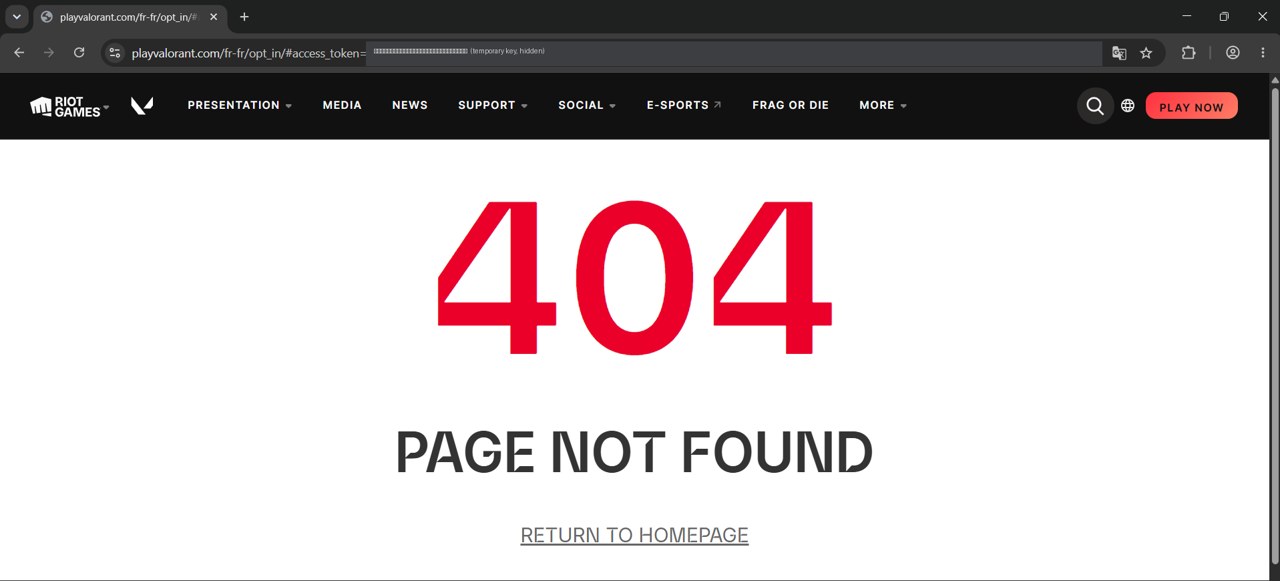
Copy the full address from the address bar (key hidden here) - 3
Paste the address on NeonVault
You paste that address into NeonVault. It only contains the temporary key — not your username or password.
https://neonvault.skinPaste the link and confirm - 4
Your shop is loaded
NeonVault uses the key only to ask Riot for your daily shop, Night Market, bundles and wallet. That's all it can do: it can't change your password or buy anything.
https://neonvault.skinDaily shop · Night Market · Bundles
What we never do
- NeonVault never sees or stores your Riot password.
- The access key expires automatically after about 1 hour.
- Nothing is kept on our servers — the session lives only in your browser, and signing out deletes it.
More details in our legal & privacy page.